Avada is one of the most popular premium WordPress themes, trusted by businesses, agencies, freelancers, and bloggers worldwide. With its powerful customization options, modern design, and user-friendly tools, Avada allows anyone to create a professional website without coding experience.
Whether you’re building a portfolio, business site, blog, or an online store, Avada offers the perfect combination of flexibility and performance.
Key Features of Avada Theme
- Fusion Builder (Drag & Drop Builder)
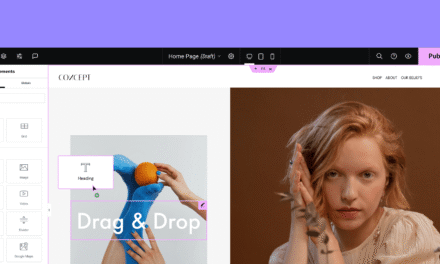
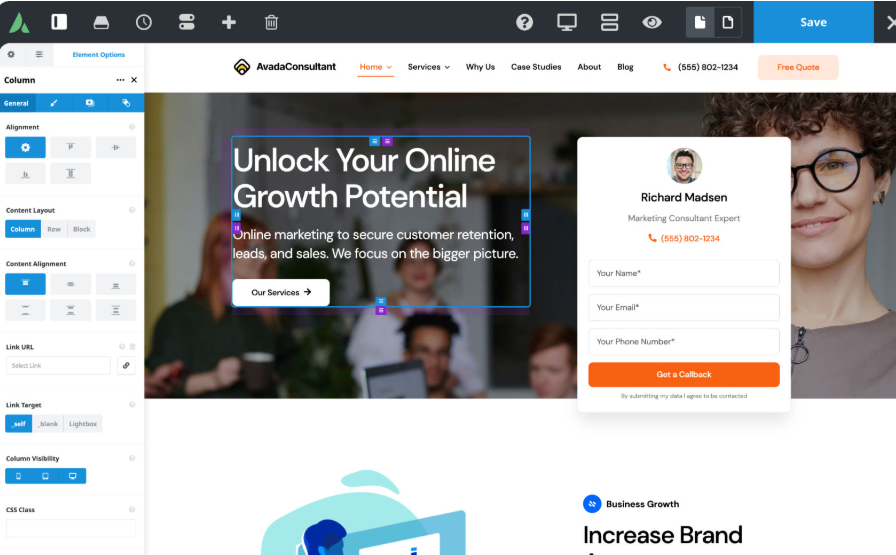
Avada includes Fusion Builder, a simple drag-and-drop page builder that makes it easy to design pages visually—no coding needed. You can add elements, adjust layouts, and edit content effortlessly.
- Pre-Built Templates
The theme comes with a large collection of professionally designed demo templates for different industries.
You can import any demo with a single click and customize it according to your brand.
- Fully Responsive Design
Avada is optimized for all devices—mobile, tablet, and desktop—ensuring a smooth user experience across every screen size.
- WooCommerce Support
If you want to build an online store, Avada works seamlessly with WooCommerce.
You can create product pages, shopping carts, and checkout pages with ease.
- Advanced Typography Options
Choose from hundreds of Google Fonts or upload your own custom fonts.
This gives you total control over the look and feel of your website text.
- SEO Optimized
The theme is built with clean code and optimal performance in mind.
Its fast loading speed and SEO-friendly structure help improve your visibility in search engines.
How to Install Avada Theme
Step 1: Download the Theme File
Download the official theme package from a trusted source or marketplace.
Step 2: Upload to WordPress
Go to
Appearance → Themes → Add New → Upload Theme,
then upload the ZIP file.
Step 3: Activate the Theme
After installation, click Activate.
Step 4: Install Required Plugins
Avada may recommend installing plugins such as Fusion Builder.
Install and activate all required plugins.
Step 5: Customize Your Website
Use Avada Theme Options and Fusion Builder to customize your layout, colors, fonts, header, footer, and other settings.
Common Problems and Solutions
- Demo Import Error
Increase PHP memory limit
Increase max execution time
Check server configuration
- Plugin Compatibility
Always keep the theme and required plugins updated to avoid conflicts.
- Responsive Issues
Check the responsive options inside Fusion Builder and preview the site on multiple devices.
- Performance Optimization
Use a caching plugin
Compress images
Remove unused plugins
Enable CDN if available
Best Alternatives to Avada Theme
If you want to explore other top-quality multipurpose themes, here are some leading options:
✔ Divi Theme
A powerful theme with a built-in visual builder.
✔ Astra Pro
Lightweight, fast, and ideal for businesses and blogs.
✔ OceanWP
Feature-rich and great for modern, responsive designs.
✔ BeTheme
Comes with 500+ ready-made websites for quick setup.
✔ GeneratePress Premium
Extremely fast, secure, and flexible for any type of site.
Conclusion
Avada is a complete website-building solution that combines design flexibility, strong performance, and ease of use.
Whether you’re creating a business site, blog, portfolio, or online shop, Avada gives you the tools to build a professional, high-quality website without technical skills.
Its customization power, responsive design, and SEO-friendly structure make it one of the best premium WordPress themes available today.